
- Owners
- Staff
Add places to your map
Add a campsite, toilet block, water tap or other place, name it, and move or delete it.
Checked against Sitemapper on
Places are the things visitors look for on your map: sites, toilets, showers, water, reception, first aid and more. Owners, managers and field rangers can add them.
Add a place
- In the map editor, choose Add place. The window Add Point of Interest opens.
- Under Select Feature Category, choose what it is, such as Tent Site, Restroom or Water Station.
- Check the name in Feature Name / Identifier. It starts with a name the category suggests, which may not suit your property; change it to what visitors will see, such as "Site 14".
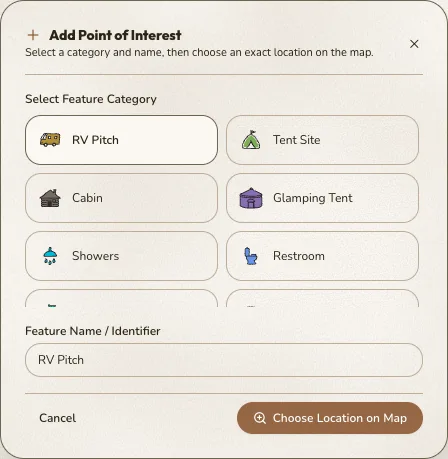
- Choose Choose Location on Map.
- Zoom in close, then click the spot. It has to be inside your property's boundary.
The new place is selected and its panel opens on the right.
You can also double-click the map to add a place quickly. It's added as an RV pitch, so change its category in the panel.
Change, move or delete a place
- Rename or change its category. Select the place, change POI / Pitch Name or Category in the panel, and choose Save.
- Move it. Drag it on the map.
- Delete it. Select it and choose the bin in its panel. It's deleted straight away, with no question first, and Undo doesn't bring it back.
Still stuck? Email us and tell us what you were trying to do.