
- Owners
- Staff
Draw trails
Draw the tracks, roads and paths visitors follow, set them one-way, and join them up.
Checked against Sitemapper on
Visitors' routes follow the trails you draw. Draw every track, road and path a visitor might use, and join them where they meet. Owners, managers and field rangers can draw trails.
Open the editor from Edit Site & POIs on your property's row in Sites Directory. Trails drawn anywhere else aren't saved.
Draw a trail
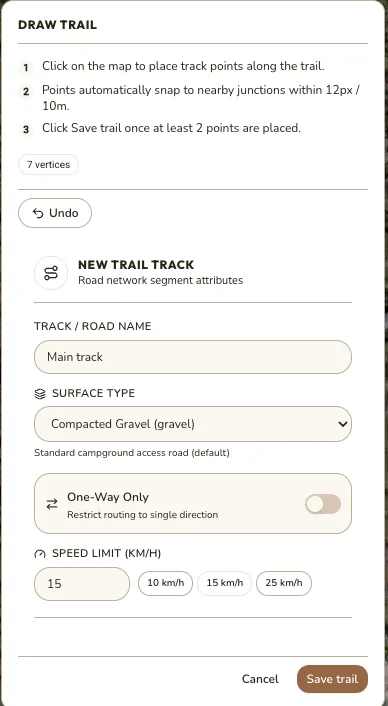
- Choose Draw path. A panel titled Draw trail opens.
- Click along the trail to place points. Undo takes back the last point. To start or end at a gate or another place, click just beside it: clicking on a place selects it instead of adding a point.
- Fill in the trail's details before you save:
- Track / Road Name, for example "Ridge Road".
- Surface Type.
- One-Way Only, if visitors may only travel one way.
- Choose Save trail. You need at least two points.
One-way trails
A one-way trail runs in the order you clicked its points. Start at the end visitors start from.
Join trails up
With Snap on, a point you place near an existing trail or corner joins onto it, and Snapped shows. Join every trail to the next so visitors' routes can get from one to the other. Where trails don't join, a visitor's route draws a straight line instead.
Still stuck? Email us and tell us what you were trying to do.