
- Visitors
Ask the property for help
Send a help request to the property's staff, with or without your location, including when you have no signal.
Checked against Sitemapper on
In a life-threatening emergency, call 000 first. A help request goes to the property's staff, and only reaches them when they have the property's safety screen open.
Send a request
- Tap Ask a ranger. It's at the top of the map, and on the route bar while you're following a route.
- The sheet says Sharing your name and location helps a ranger reach you. Park staff can see this information until the request is closed, then it is deleted.
- If you haven't given your details yet, you can type Your name (optional).
- Choose Send with my location or Send without my location.
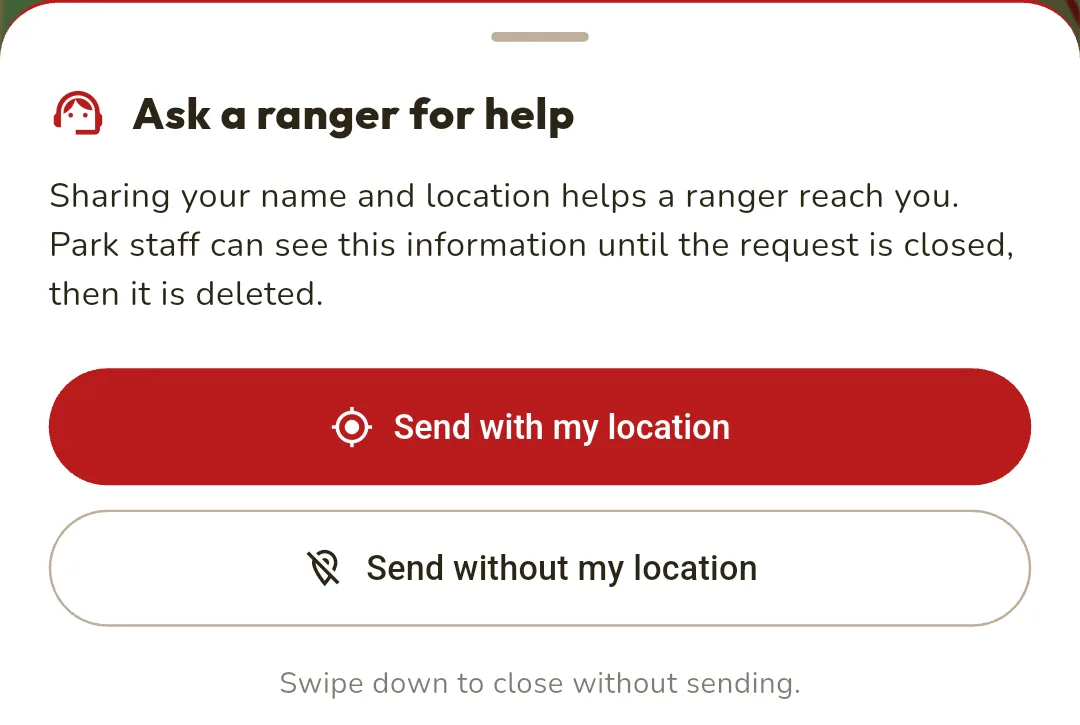
The app tells you when it has been sent. To close the sheet without sending, swipe it down.
With no signal
Your request is saved on your phone and sends when you have signal and Sitemapper is open. Keep the app open.
- If the property has marked places where phones work and the app knows where you are, it may list them with how far away each is, so you can walk to one. Places inside a no-entry area aren't in this list. Your request sends when you reach signal.
- If you sent your location, the app asks where the property should look for you: Where I am now, Where I'm walking to, or Both places.
- Otherwise the app tells you nobody has received it yet, and, if it knows where you are, names the nearest place where phones work. If the property marked none, it names the nearest reception or first aid point instead, which may have no signal either. Check that place isn't inside a hazard area before you head for it.
When it sends, the app says Sent. The park has your request., or Sent. The park has your request and your location. if you sent your location.
Check or withdraw it
While your request is waiting, tap Ask a ranger again to see Your request for help. If you no longer need help, choose Withdraw request.
Once the staff have acknowledged your request, you can't withdraw it, and tapping Ask a ranger starts a new request. Only tap it again if you need more help.
What happens to your details
When the staff close your request, or you withdraw it, your location, name and vehicle registration on the request are deleted.
Still stuck? Email us and tell us what you were trying to do.