
- Visitors
Before you explore, the details the property asks for
Why the map asks for your name, vehicle and dates before you use it, and what happens to them.
Checked against Sitemapper on
The first time you open a property's map, a screen titled Before you explore asks for a few details. You fill it in once, and then the map opens.
Why the property asks
The screen tells you:
Fill it in
- Name: your full name.
- Vehicle registration: your number plate. If you don't have a vehicle with you, tick I have no vehicle.
- Arriving: today, unless you change it.
- Leaving: the day you'll leave. It can't be before the day you arrive.
- Choose Submit.
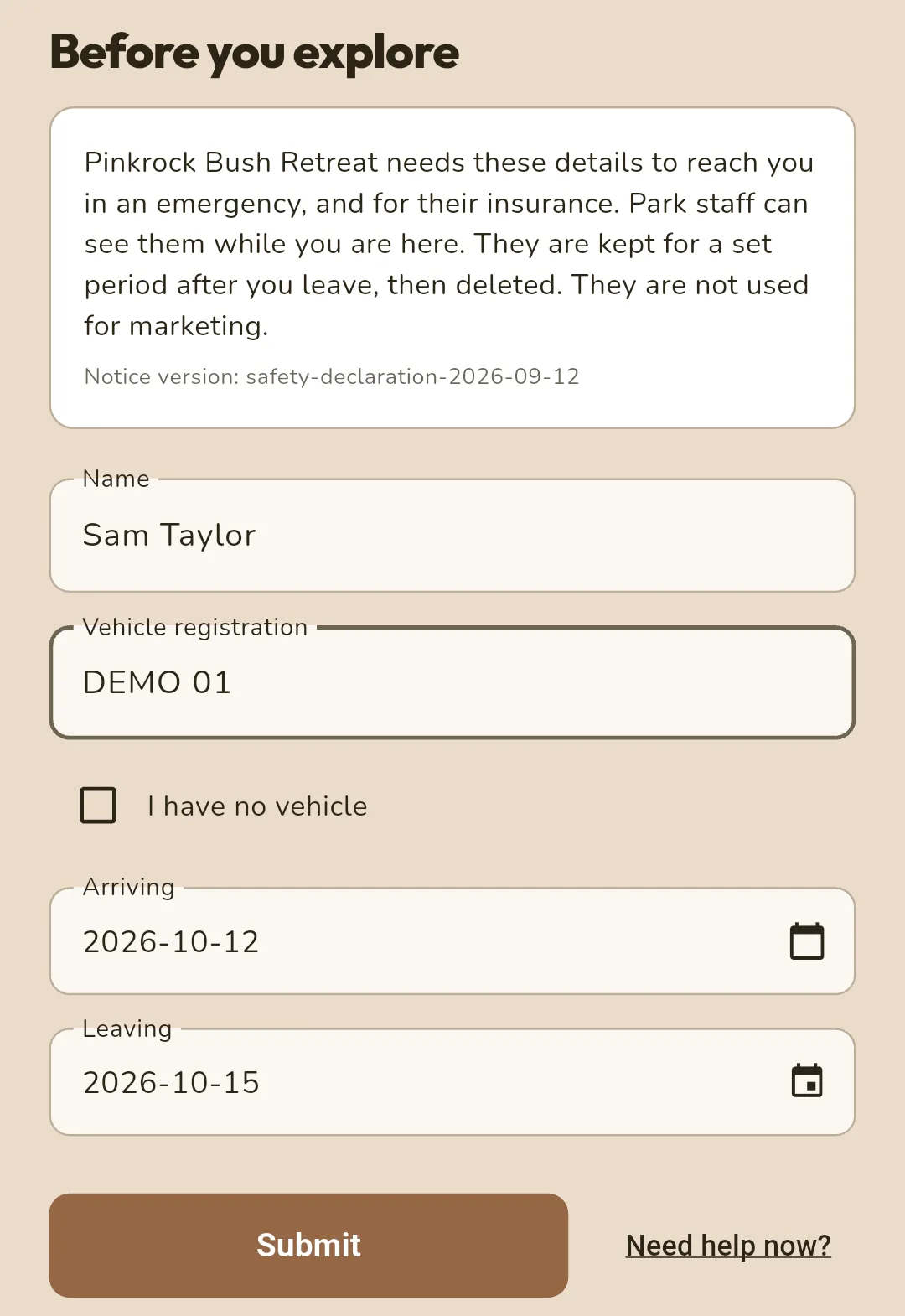
If you have no signal, the map still opens. Your details wait on your phone and send when you have signal again.
If you need help straight away
Choose Need help now? on the same screen. You don't need to fill in your details first. See Ask the property for help.
How long it lasts
Your phone remembers your details for 21 days. After that it asks again. You can't change your details once they're sent, so check the dates before you choose Submit.
Still stuck? Email us and tell us what you were trying to do.